How Do I Add a New Envira Album?

You can add a new Envira album easily. Albums are very similar to Galleries, but instead of a collection of images, an album is a collection of galleries. The galleries must be created and published first. If you need to create a new image gallery, see our article titled “How to Add a New Envira Album.”
Here is how to add a new Envira album:
- Once logged in, hover over Envira Gallery in the menu on the left-hand side of the Dashboard and click Albums.
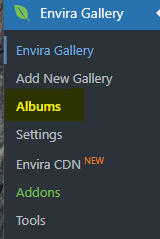
- Click Add New Envira Album at the top of the page.

- Click the title box “Add title” and type in your title.

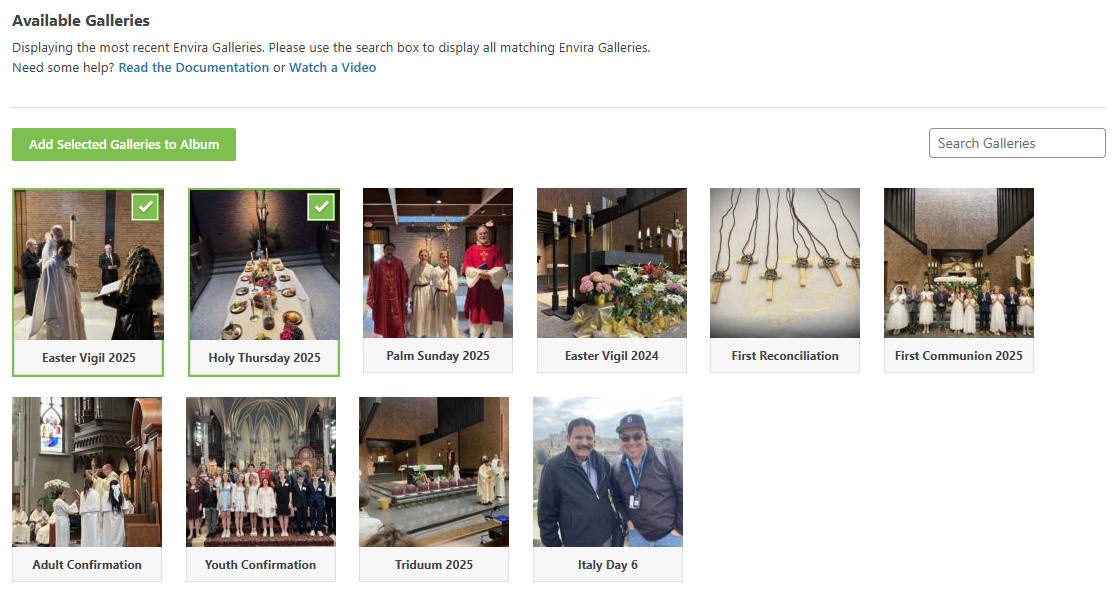
- Drag and drop galleries from the “Available Galleries” OR select Galleries below and click the Add Selected Galleries to Album button.
- All settings in the Configuration and Lightbox tabs are automatically set to be the same as previous galleries, but you may change these as needed.
- Click Publish to save your changes.

by Cody Armock