To provide the best possible service and resolve your issue efficiently,
a support technician may need to view your computer screen exactly as you
see it. If needed, our support staff will ask you to click the Remote
Assistance button to launch the remote viewer and will guide you step by
step through the simple process of connecting.
You can edit a category in just a few short steps. Actively using your posts is important to keeping your website looking updated and alive. Once you begin adding posts, you may run into the issue of organizing them and deciding what should display on the homepage or not. This is when categories come into play. With categories, you can keep updating your website AND decide what posts display on your homepage, or on other pages too.
Occasionally, you may need to change the category name or update the description.
Here is how to edit a category:
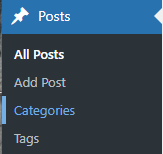
Once logged in, hover over Posts in the menu on the left-hand side of the Dashboard and select Categories.
Click on the category you desire to edit.
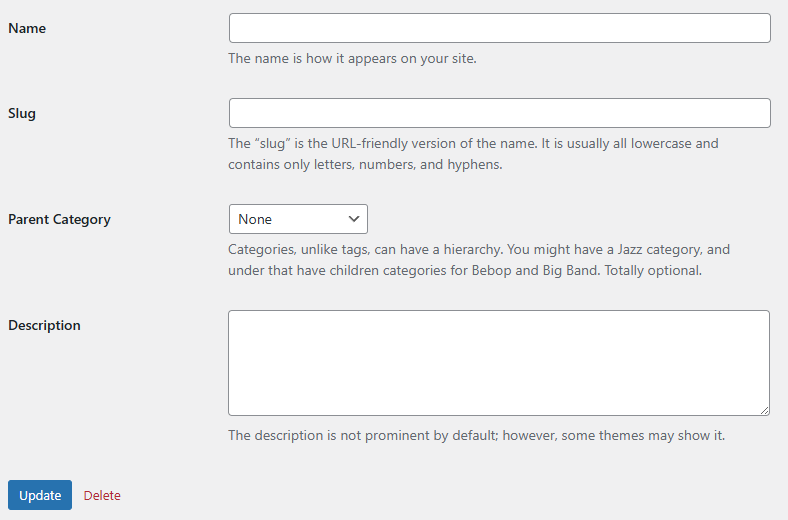
Edit the desired fields. Note: If you edit the slug, you may be changing the URL of each post in this category. This may cause links throughout your website to break. Not Recommended