Skip to main content
Camino
How to add a new fund
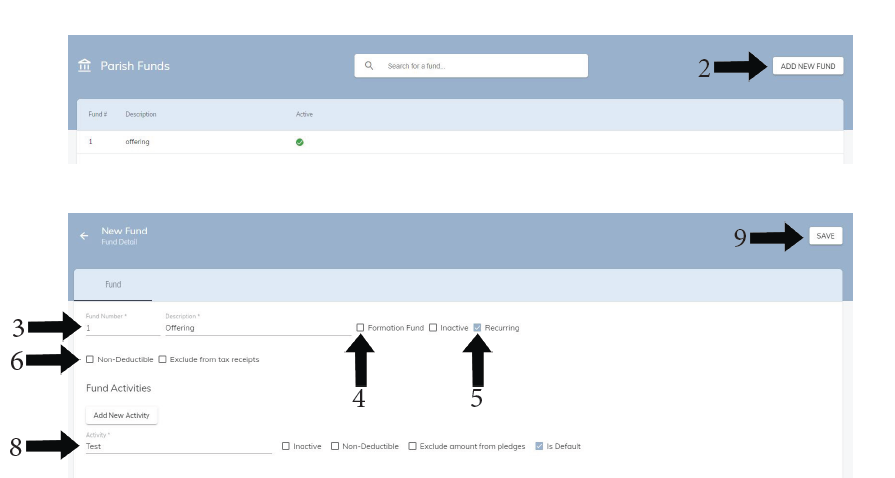
- Go to Administration > Parish Funds
- Click ADD NEW FUND in the top right hand corner
- Assign a fund number and a fund description
- If fund is related to Formation click Formation Fund checkbox
- If fund is Recurring check Recurring checkbox, if the fund is not recurring (ex. multi year Capital Campaign) choose a start and end date
- If Fund is non-deductible choose the non-deductible checkbox
- If needs to be excluded from Tax Reports choose the Exclude from Tax Receipts checkbox
- Add one or multiple Activities to the new fund
- Click SAVE in the top right corner
- You will now see the new fund in the list of PARISH FUNDS