Camino
How to Merge Duplicate Households and Members
Merging Duplicate Households
There may be instances where you have duplicates, triplicates, or any number of the same households in your database on Camino. During such cases, you can merge these households together.
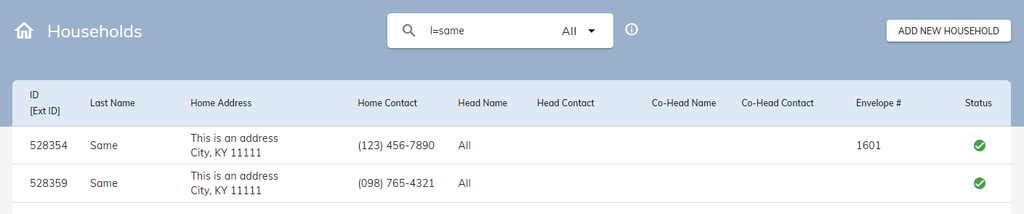
Identify which of the two households contains either the most amount of information or contains the most up-to-date information. Click into that household. Then complete the following steps:
- On the household’s screen click on the Merge button in the top right. Doing so will set this household as the Master Household during the merger.
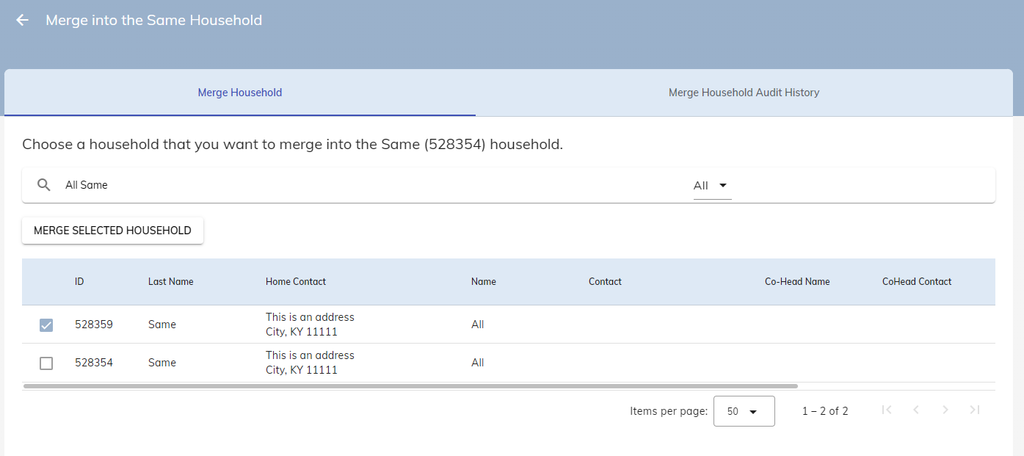
- You will be taken to the Merge Household screen. Here, search for the identical household you want to merge.
- Click on the checkbox to select the other identical household. Then press the Merge Selected Household button.
- Press Yes to continue.
You will then be taken to the Merge Process Screen. You will see the information in the Master Household, Secondary Household, and Merged Household.
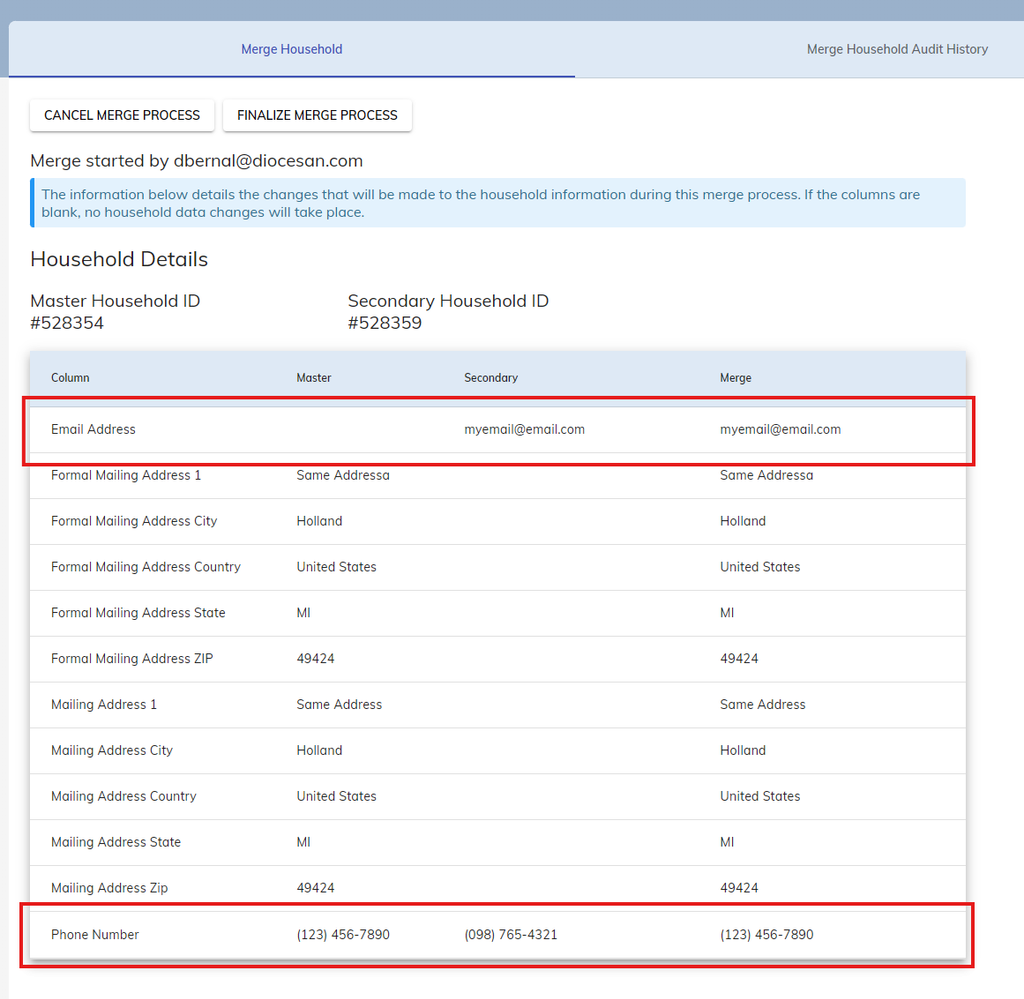
Note the two red boxes on the left image:
- See in top box where there is information in the Secondary Household but not in Master Household. If the master does not contain information but the secondary does, the Merged Household contains the secondary information.
- See in the bottom box where there is information in both the Master and Secondary Household. During the merge process, if both households contain information, the Master Household is prioritized.
If you are satisfied with what the Merged Household would look like, press the Finalize Merge Process button. It is time to merge the household members.
Merging Household Members
Merging a household does not immediately merge any identical members between both households. You will need to merge these members individually.
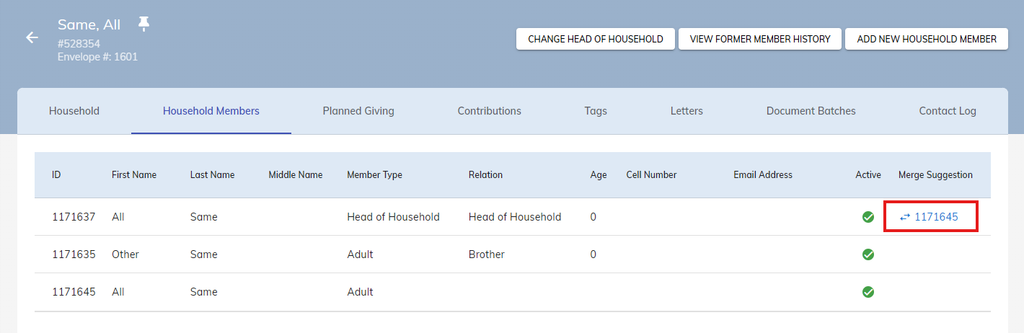
- Navigate to the Household Members tab of the newly merged household.
- There will be a column all the way to the right of the listed members called Merge Suggestion.
- Click on the number to begin the merge process for that member.
- This will take to the Merge Member screen. Pressing that number will automatically select the duplicate member of the household.
- Press the Merge Selected Member button.
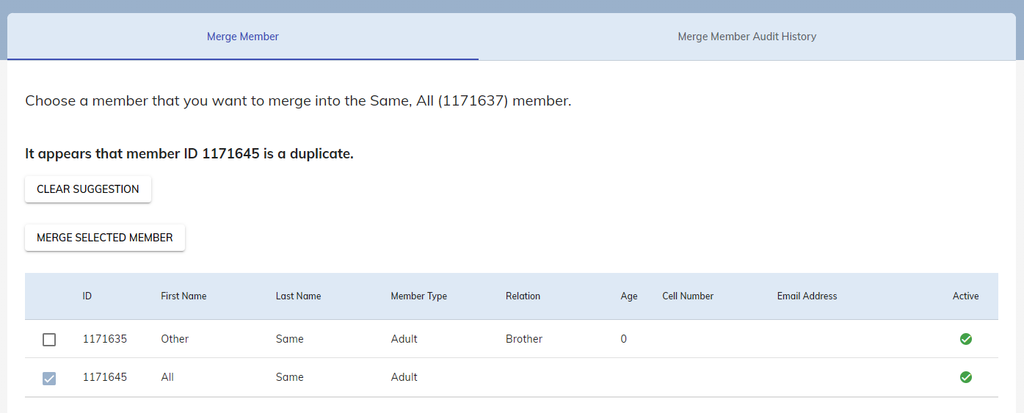
Like with merging households, you will be taken to the Merge Process Screen. You will see the information in the Master Member, Secondary Member, and Merged Member.
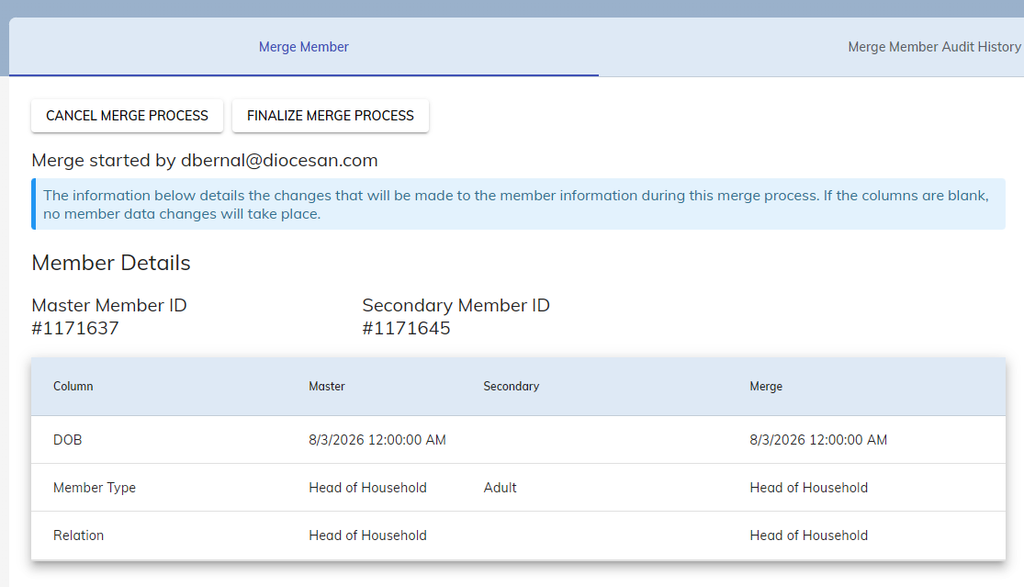
The rules with merging households also apply with merging members:
- If there is information in the Secondary Member that is not present in the Master Member, the Merged Member will take the secondary’s information.
- Information in the Master Member is prioritized during the merge process.
If you are happy with the Merged Member, press the Finalize Merge Process button. Congratulations! You’ve merged a duplicate household in your database.
Error When Merging Households
Occasionally, when merging households, you may run into this error message:
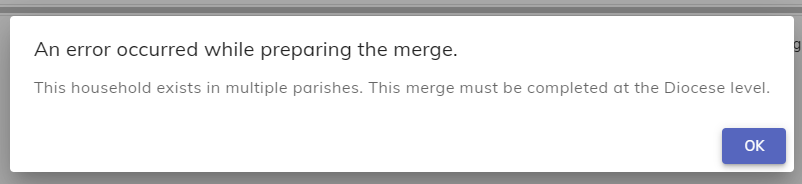
This means that the households you are trying to merge are present in multiple parishes within Camino. This means that the merge can only be completed by the Diocese. During these cases, contact your Diocese so they may complete the merge for you.