Camino
Generating Tax Letters
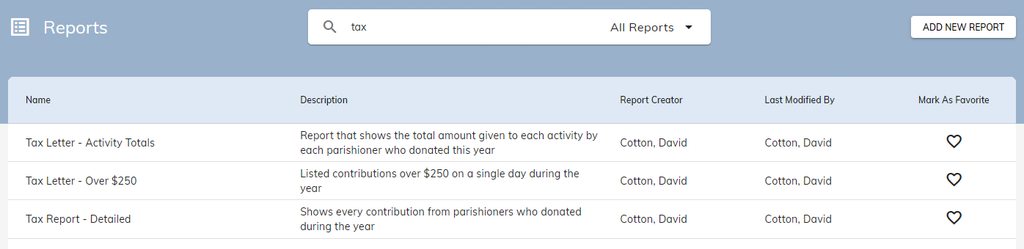
Navigate to Reporting → Reports on Camino. There should be three different Tax Reports created for you. You can generate Tax Letters using any one of these reports, but the one you will be needing the most is Tax Report – Detailed as it shows all the contributions a family gave during the year.
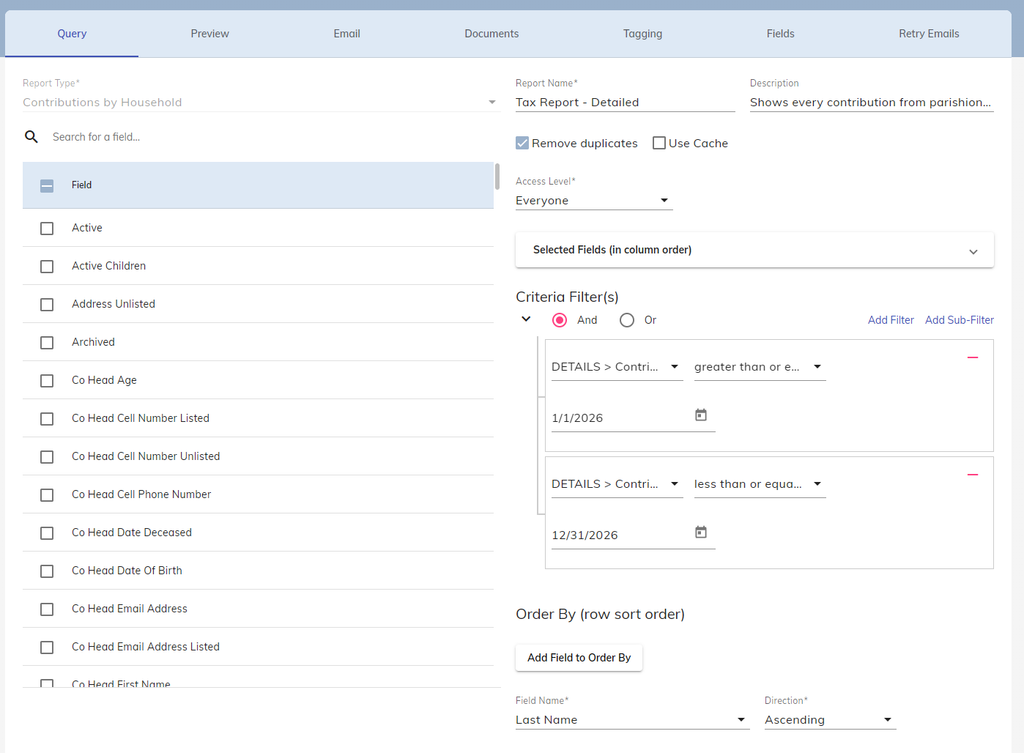
When clicking into the report, pay attention to the Criteria Filter(s) section of the report and make sure that the date range covers the year of contributions you want to pull for parishioners.
Once you’ve determined it is the right date range, click on the Documents tab of the report and go to System Documents. Click on the Play Button to generate the tax letters!
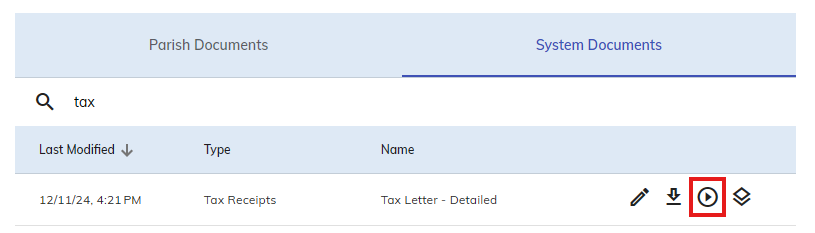
After clicking the Play Button, a Word Document will be created that contains a tax letter for all households that have made contributions for that year!
Generating Individual Tax Letters
There are two methods on generating a Tax Letter for an individual: Creating a separate report or creating a Document Batch.
Creating a Separate Report
- Open any one the three aforementioned Tax Reports and click on the Copy Report button in the top-right.
- This will take you back to the main screen where you will need to find and open “COPY of [Report Name].” It would also be best to change the name of the report.
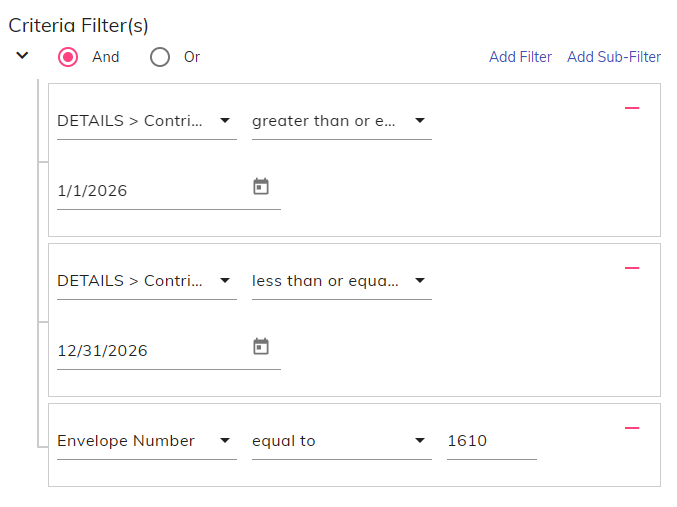
- Under Criteria Filter(s), add an additional filter that grabs the person’s Envelope Number. You can use other filters as well if needed (such as Last Name, Household ID, etc.)
- Save the report.
Press the Play Button as before in the Documents tab to generate a Tax Letter for an individual household!
Creating a Document Batch
Open any one of the three aforementioned Tax Reports and navigate to the Documents tab as you would to normally generate tax letters. Instead of clicking on the Play Button, click on the Diamond Button to create a Document Batch to store individual letters.
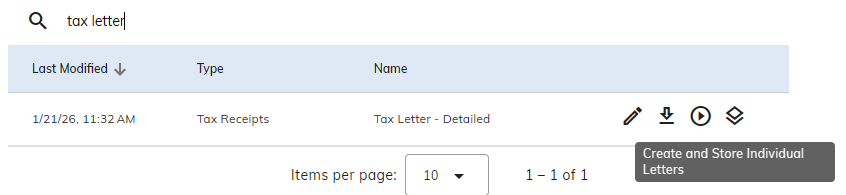
You will need to enter a name for this batch. If you have Camino Life enabled, there is an additional checkbox that allows these letters to be visible to your parishioners who have a Camino Life account and are linked to your parish.
Navigate to Reporting → Document Batches to see the status of the batch you just ran. It may take some time the more documents it needs to make. Here, you can also enable the documents to be visible on Camino Life.
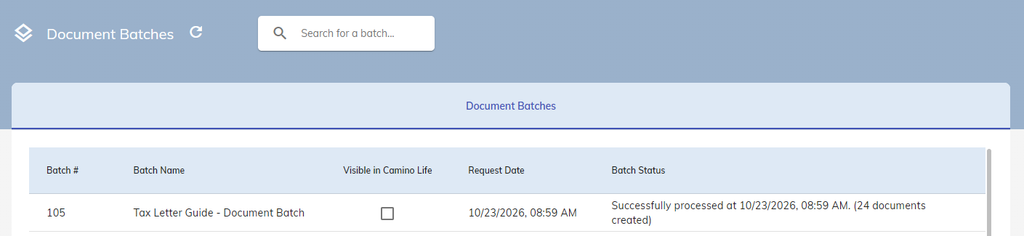
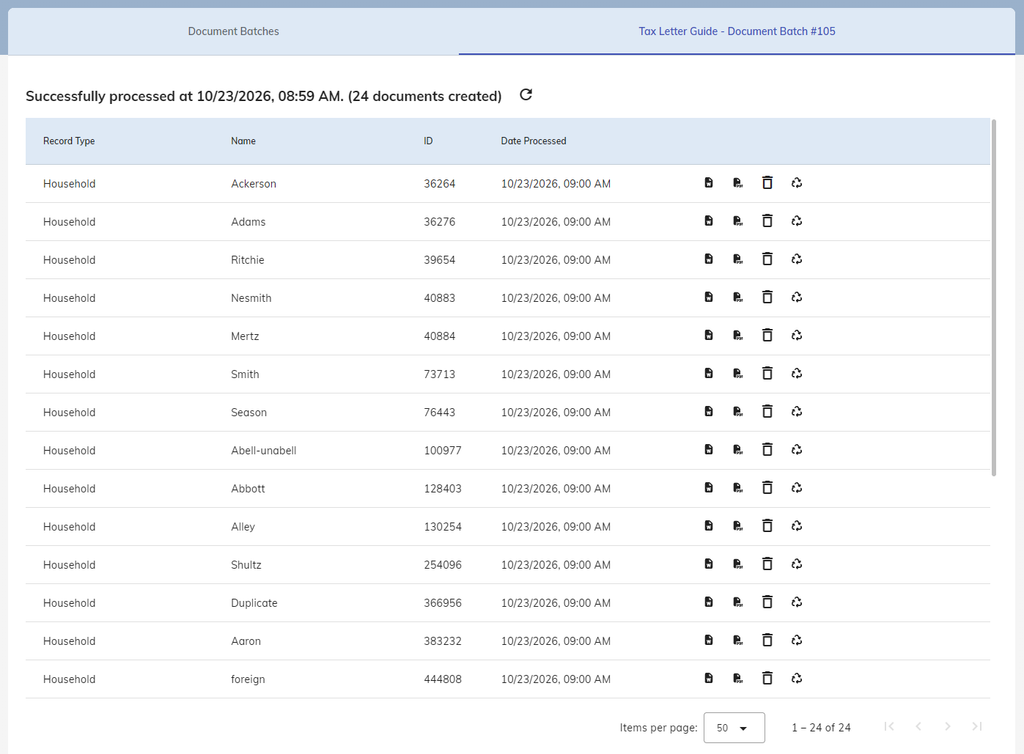
You can click into the batch to view more details. Here, you are given four more buttons with each document in the batch:
- Download Word/PDF Document
- Delete: Removes the document from the batch. This can not be undone.
- Regenerate: This regenerates the document for the individual letter. That way if there were any additional contributions made after the batch was produced, the letter will reflect the new contributions made for the household.
When it comes to generating Document Batches it is recommended to do so as close to Tax season to prevent the need to generate an entirely new batch or individual Tax Letters.